Backseat Rally driving is about preparing for the road ahead, not holding the accelerator through every corner. In this Backseat Rally Driving guide, use the Co-Driver's direction and turn level to choose when to brake, steer, or use the handbrake, then use checkpoint recovery when a run goes wrong.
Driving controls
These are the keyboard actions documented for the driving loop. If you use a controller, open the in-game controls screen instead: the supplied evidence does not establish a complete controller-to-keyboard mapping.
| Input | Action | Best use |
|---|---|---|
| W | Accelerate | Build speed on straights and carry speed through manageable bends |
| A / D | Steer left or right | Start steering from the Co-Driver's direction call |
| S | Brake; reverse while stopped | Set speed before a Hard or very tight turn and correct a stop |
| Space | Handbrake | Make a brief rotation or drift on a tight corner |
| R | Return to the latest checkpoint | Recover after leaving the route or crashing |
| Backspace | Restart the stage | Practise the full route again from the starting box |
| F | End the current drive | Leave the vehicle when you intentionally want to stop the run |
Avoid pressing F while racing unless you mean to end the attempt. R is the faster correction when the car is merely off line; reserve Backspace for a deliberate full restart.
How to read Co-Driver calls
The call is a preparation cue. Read the arrow or direction together with the turn level, then finish most of your braking before the corner rather than reacting at its apex.
| Call | Road decision | Driver response |
|---|---|---|
| SLIGHT | A comparatively gentle bend | Make a small steering correction and usually keep more speed |
| HARD | A sharp bend | Brake early, turn decisively, and use a short handbrake input only if needed |
| Hairpin | An extremely tight turn | Reduce speed before entry and prioritise getting the car pointed at the exit |
| Jump | A jump is ahead | Keep the car stable and avoid a last-second steering correction |
| Danger | A section needs extra care | Prepare to slow and correct your line instead of relying on speed |
For a manual Co-Driver, Turn calls use 1–6; C calls a jump and Space calls danger. The exact steering angle, speed, and brake duration for each number are not documented, so treat the calls as relative guidance rather than fixed speed targets.
Read Co-Driver calls during a rally
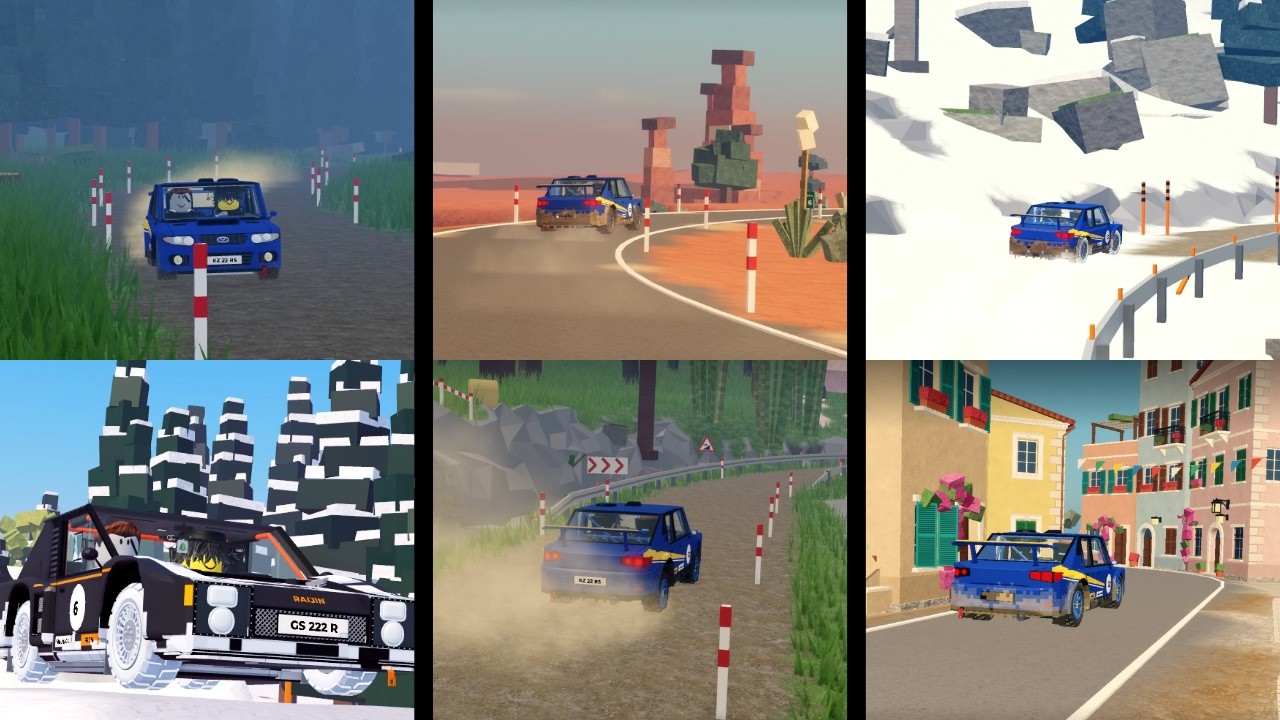
This rally moment supports the call-reading section by showing hard turns, danger, and a jump as a sequence to prepare for.
Braking and handbrake turns
- Read the call early. Identify the direction and whether the turn is
SLIGHT,HARD, or a hairpin. - Brake before entry. Tap or hold
Slong enough to set a controllable entry speed. Wet, rainy, or snowy conditions need more caution because grip and visibility are harder to manage. - Turn toward the exit. Use
AorDsmoothly; do not wait until the car reaches the middle of the corner. - Use Space briefly when the corner demands it. A short handbrake input can rotate the car for a Hard turn. Holding it too long can remove control, so it is not a default cornering button.
- Return to acceleration. Once the car points down the exit, release the correction and use
Wto build speed again.
The practical rule is brake to change speed, steer to choose the line, and handbrake only to help a tight rotation. Keeping speed through a jump can be useful, but a Danger call or poor landing line matters more than carrying maximum speed.
Brake and drift through rally turns
These moments support the turn technique by showing braking for hard turns, speed control through jumps and danger sections, and brief handbrake drifting.

Co-Driver setup and visibility
At the car and Co-Driver setup flow, you can invite another player, leave the seat open, or choose an AI Co-Driver for a solo drive. The Driver remains responsible for the car; the Co-Driver supplies navigation calls. To coordinate those roles with another person, see the multiplayer co-driver setup before starting a shared run.
Open Settings → Driving to adjust:
- Handling:
Arcadeprovides more steering and drift assistance;Simis a more direct, less-assisted option. The evidence does not provide complete physics values for either mode. - Brake assist: choose
Auto,On, orOffaccording to how much braking you want handled for you. - Co-driver calls: choose
SimpleorFullcall detail.
Use the current Settings → CONTROLS → KEYBOARD screen as the authority for bindings. Windshield wipers can clear mud or water from the view, while headlights and camera controls support visibility; the supplied records do not establish every related key or the exact effect in every weather state.
Recover and practise a stage
When a run starts to fail, choose the smallest reset that solves the problem:
- Slightly off line: steer back onto the route and continue if the car is controllable.
- Crashed or far off route: press
Rto return to the most recent Checkpoint. - Learning the whole route: hold
Backspaceto return to the starting box and practise the stage again. - Finished or intentionally done: hold
Fto end the current drive.
Rally Stages award Gold, Silver, or Bronze based on completion time. Improve a result by practising individual Sectors and changing one corner decision at a time: entry braking, steering line, or handbrake timing. The stages guide expands this into a route-by-route practice loop. The available evidence does not provide universal medal thresholds, so do not treat an unlisted time as a guaranteed medal requirement.
FAQ
Is Arcade or Sim better for driving?
Arcade is the safer starting point if you want more steering and drift assistance. Sim asks for more precise inputs. The evidence describes the assistance difference but does not establish a universal fastest mode, so choose based on control and then compare your own Sector times.
How do I fix a car after a mistake?
Press R to return to the latest checkpoint. Use Backspace only when you want to restart the entire stage, and do not press F unless you want to end the run.
Does every Co-Driver number map to a fixed speed?
No fixed speed or brake duration is documented. Read the direction, turn level, road condition, and upcoming Jump or Danger together, then adjust your input to the current line.